
The project
A post starts as an idea. Getting it out involves accounts, formats, timing and, sometimes, another person's approval. Those small jobs can turn a straightforward task into a lot of switching between tools.
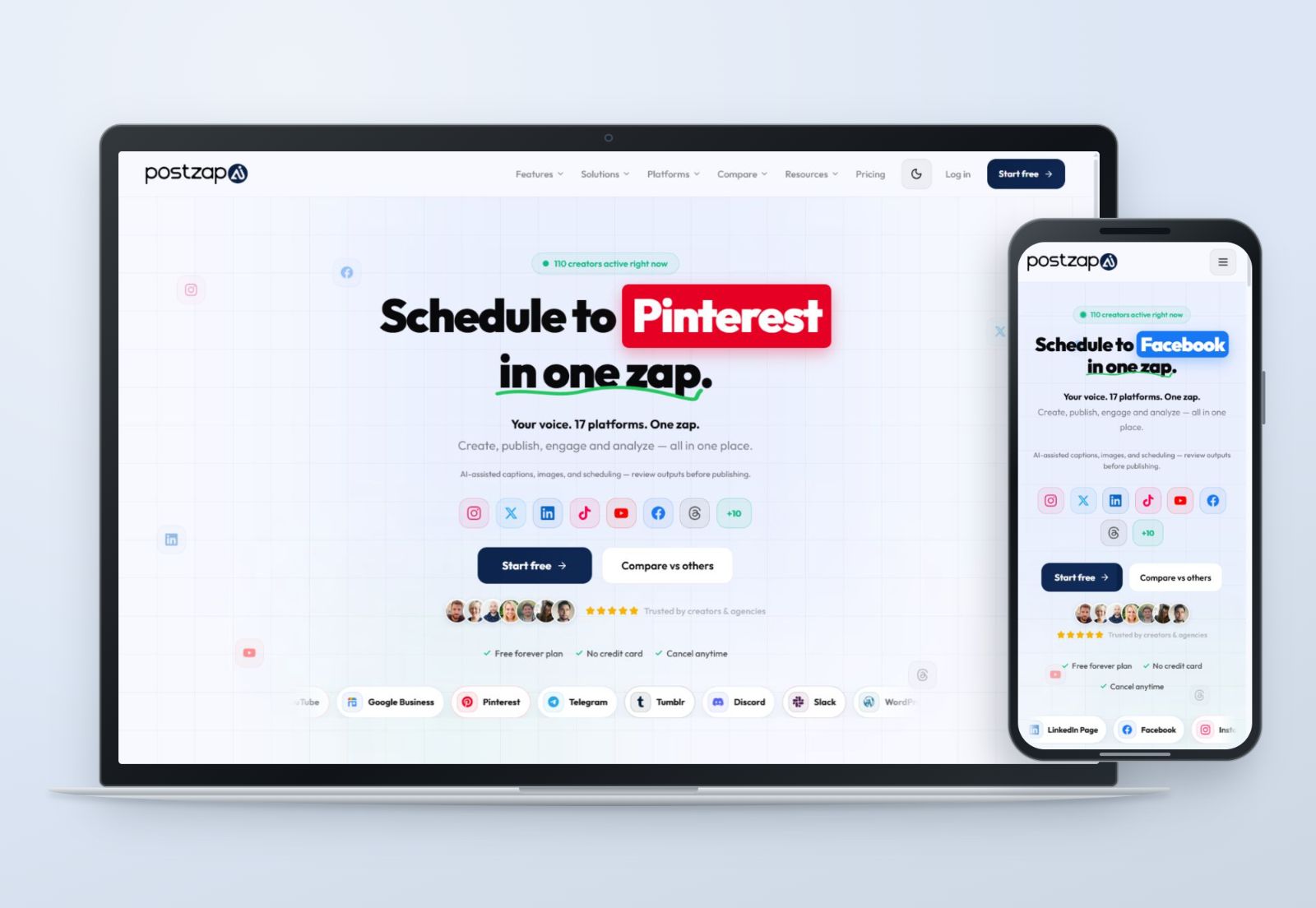
PostZapAI is my own product. I personally designed and built the website and app, with the working experience centred on creating content and keeping track of what happens to it. The public product brings together AI-assisted writing, scheduling, account connections and reporting.
There are two different jobs to explain. The website introduces the product to someone who has never used it. The app has to support someone already managing a brand. The first needs a clear explanation; the second needs a useful next action.
The publishing workflow
I organised the experience around the work itself: connect an account, prepare a post, choose its destination, and review its status. The product's feature set is broad, so the important distinction is between making content and managing content that already exists.
Keep the brand in view
The app screens keep workspace and brand selectors near the top. That context matters when a person looks after more than one business. A caption can be perfectly written and still be wrong if it is being prepared for the wrong account.
Writing assistance with a review step
AI writing and brand-voice tools sit alongside the publishing workflow. My priority in presenting them is to make the draft something a person can check and change before it goes out. A generated caption is a starting point; choosing the account, message and timing remains part of the job.
Make status easy to recognise
The post-history screen separates published posts, scheduled content, drafts and failed items. Those labels give different tasks somewhere to go. A draft needs attention before publishing. A failed post needs a different response from a post that is already live.
The useful question is simple: what needs my attention next?
Inside the app
These are the original published app screens. The account, composer and history views show how the same workspace carries through different parts of the product.
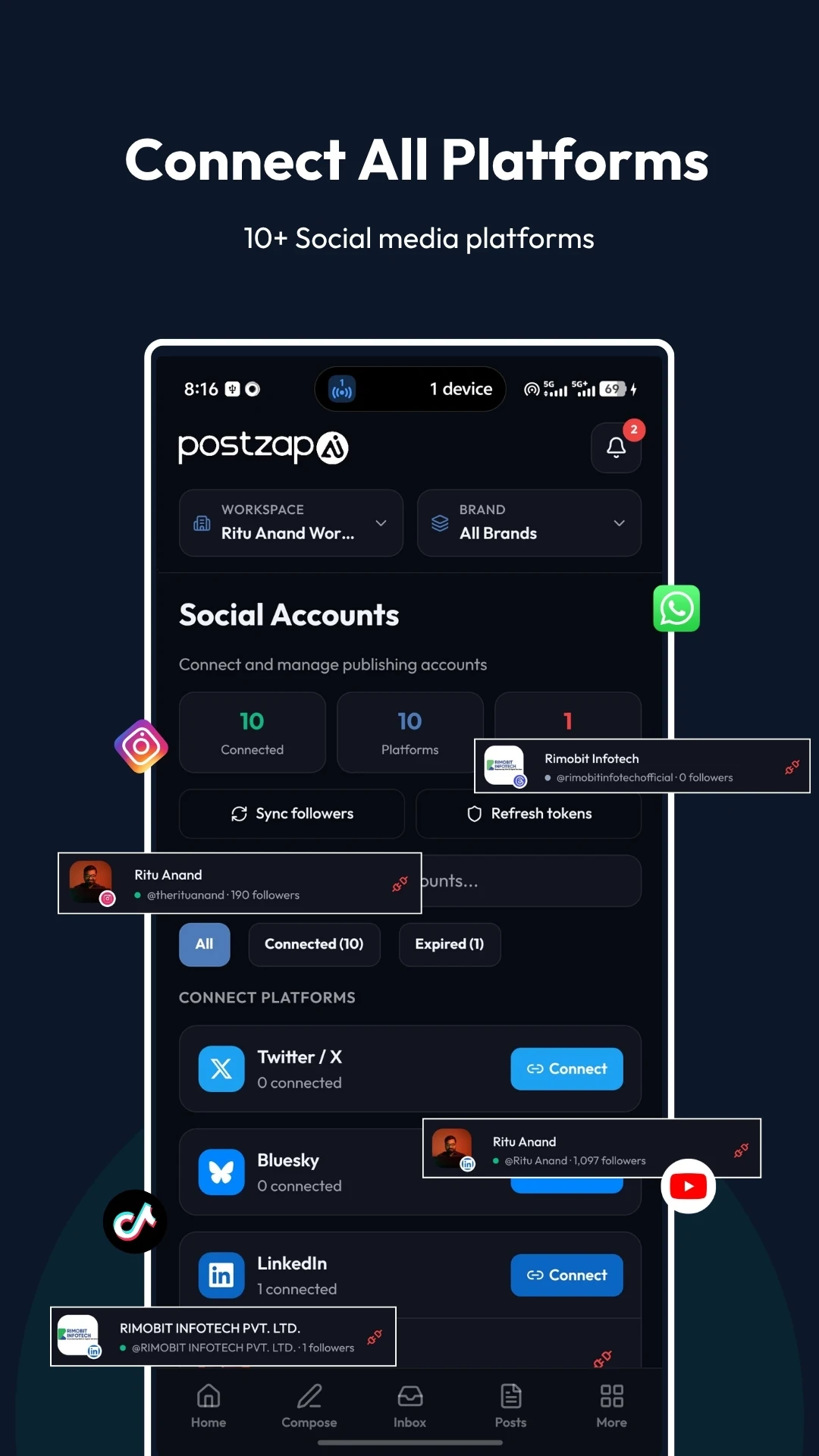
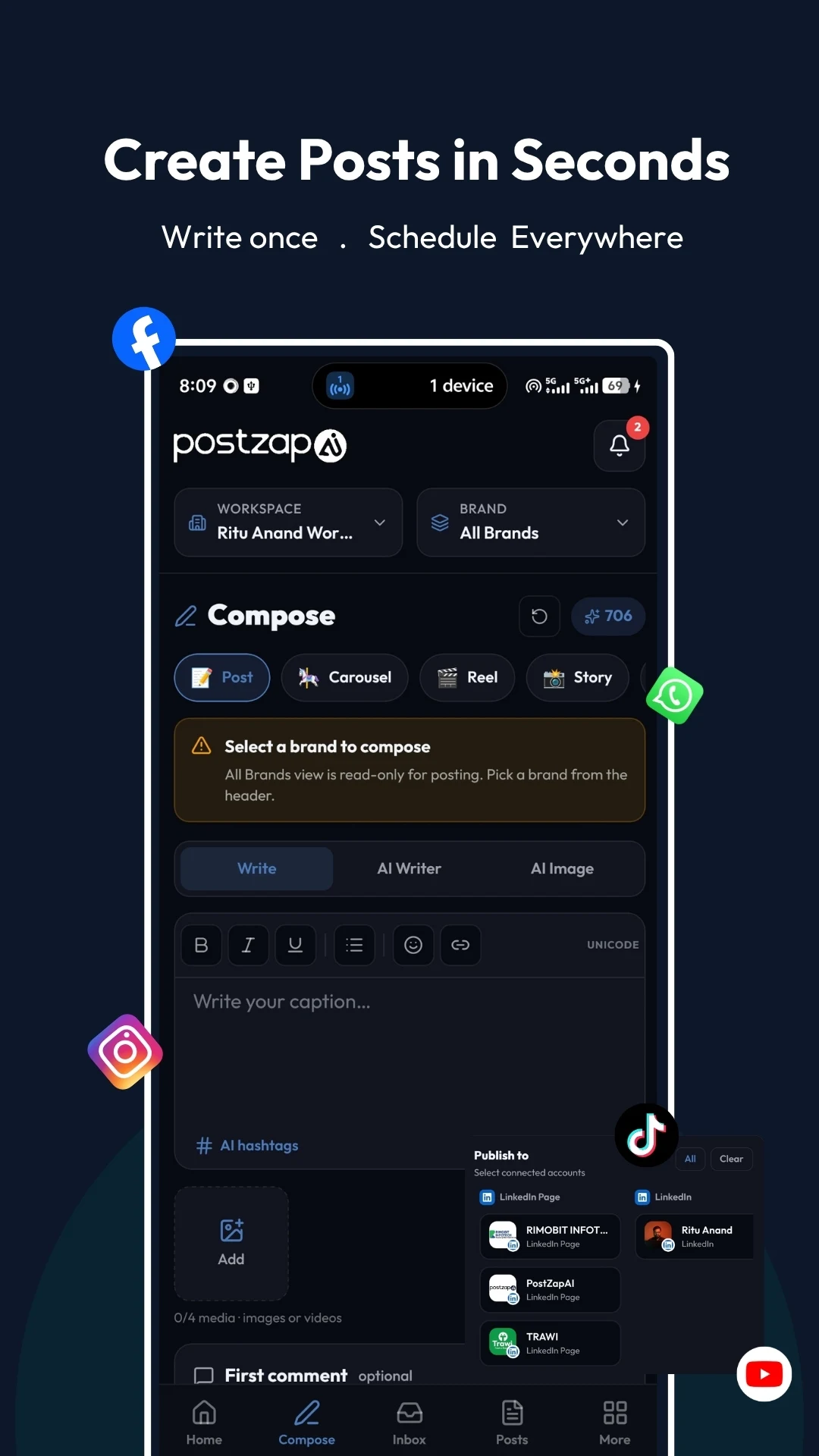
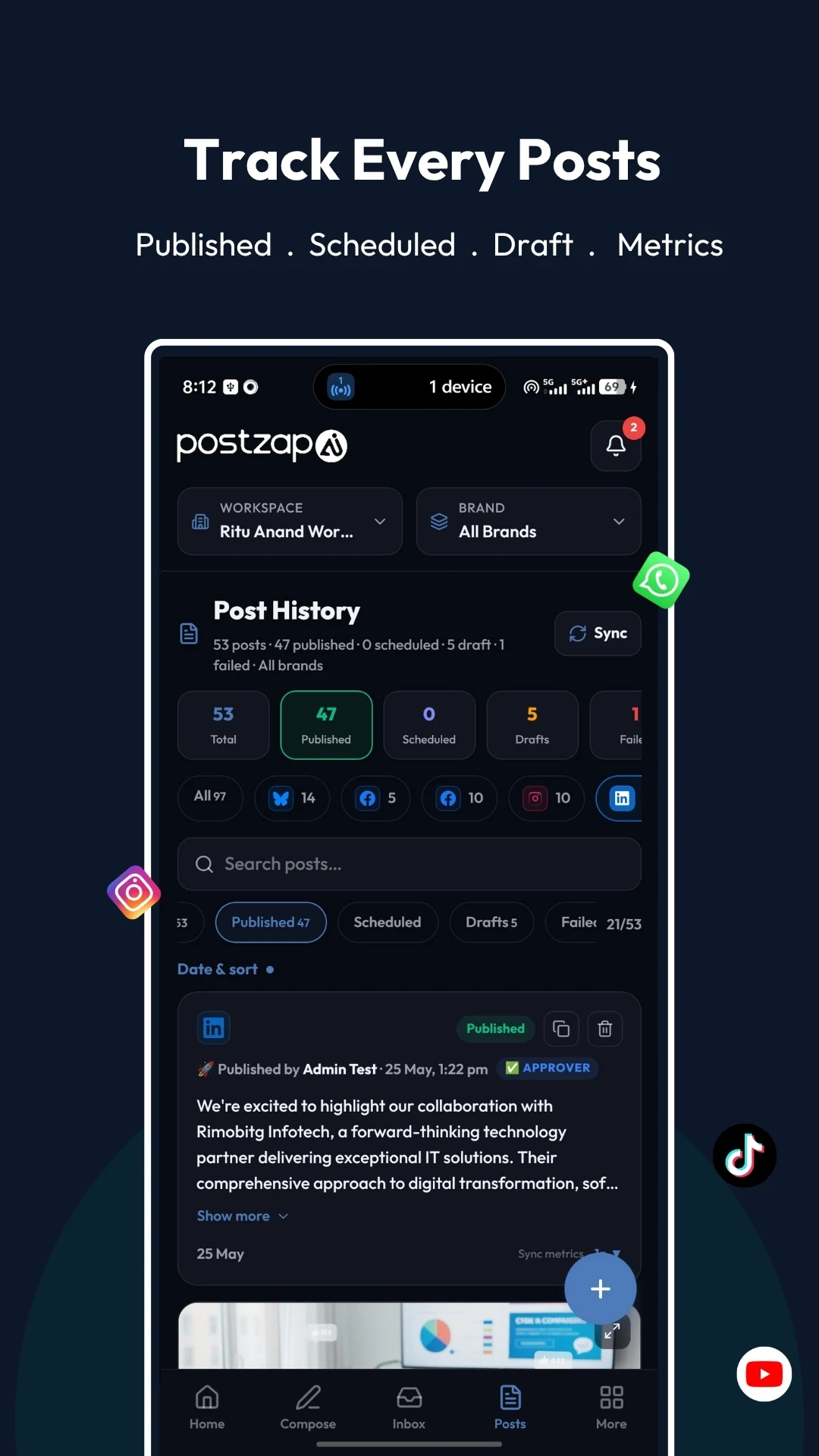
Select a screen to open the original full-size image.
The website and app share the product identity, while the app gives more space to controls and content. The dark interface, repeated panel shapes and persistent navigation hold the screens together without treating every view as a new design.
The live product
PostZapAI has a live website and a published Android listing. Its public feature set also covers a content calendar, team permissions and approval workflows, alongside publishing and engagement tools.
This case study focuses on the product structure and the released screens. The next part of the work is the same practical task as the first: keeping the workflow understandable as the product grows.